Klaudius finds its own businesses. But plenty of operators arrive with a list already in hand: an export from a lead tool, a list they bought, or their own customer database. Until now the only way in was to paste it into a conversation and hope.
Klaudius can now work through your own list. In Find leads, choose Use your own list and pick the spreadsheet. Klaudius drops the repeats, checks each business the way a run would, and lines up the ones that fit something you sell.
Pick the file
A CSV or an Excel (.xlsx) file, up to 5,000 businesses. It needs each business's name, plus a town, a postcode or a phone number to find it by. A phone number, an email address or a website helps if you have them, and a mobile number on your list is kept as the number to reach that business on.
Give the list a name and Klaudius reads it. Before anything is looked up, you see how many businesses are on it, how many are repeats, and how many are already in your pipeline.
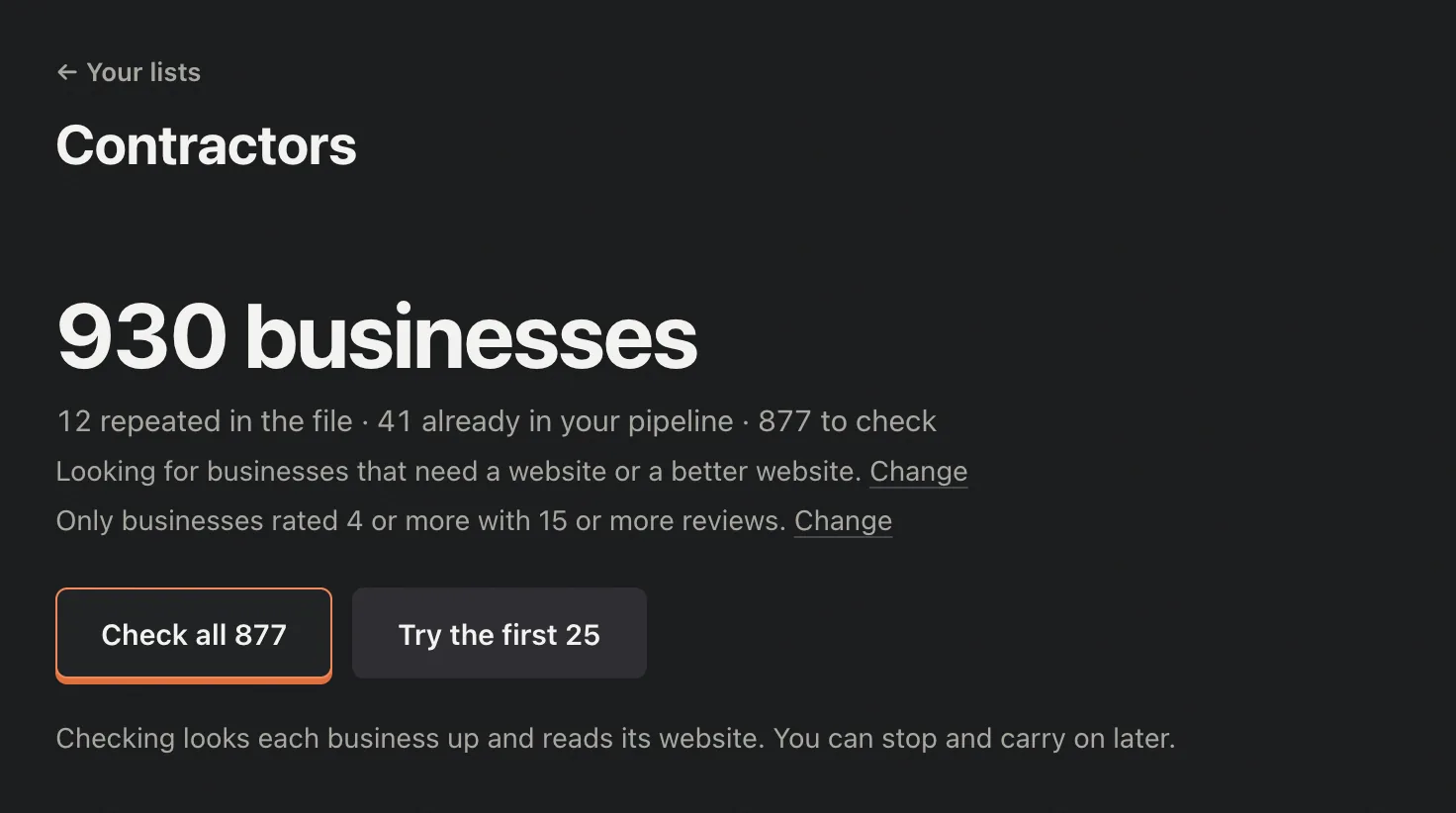
Try 25 first
Try the first 25 checks a small batch so you can see what comes back before you commit the whole file. Check all does the lot. Either way the check runs by itself, you can stop it and carry on later, and the businesses that are ready appear as they're found.
Each business is looked up and checked the way a run would check it: that it's open, that it's rated well enough, and whether it needs what you sell. By default the bar is 4 stars or more with 15 or more reviews, the same as a run, and you can change it on the screen.
Not every business on a list fits. That's the point.
A list tells you a business exists. It doesn't tell you whether it fits what you sell: a website, the AI receptionist or speed to lead. Often only part of a list does, and the value is in finding that part without checking hundreds of businesses by hand.
So Klaudius tells you why each one was left out: too few reviews, couldn't be matched, already in your pipeline, or no need for what you sell, such as a working website when you only sell websites. Nothing is added unless it passed.
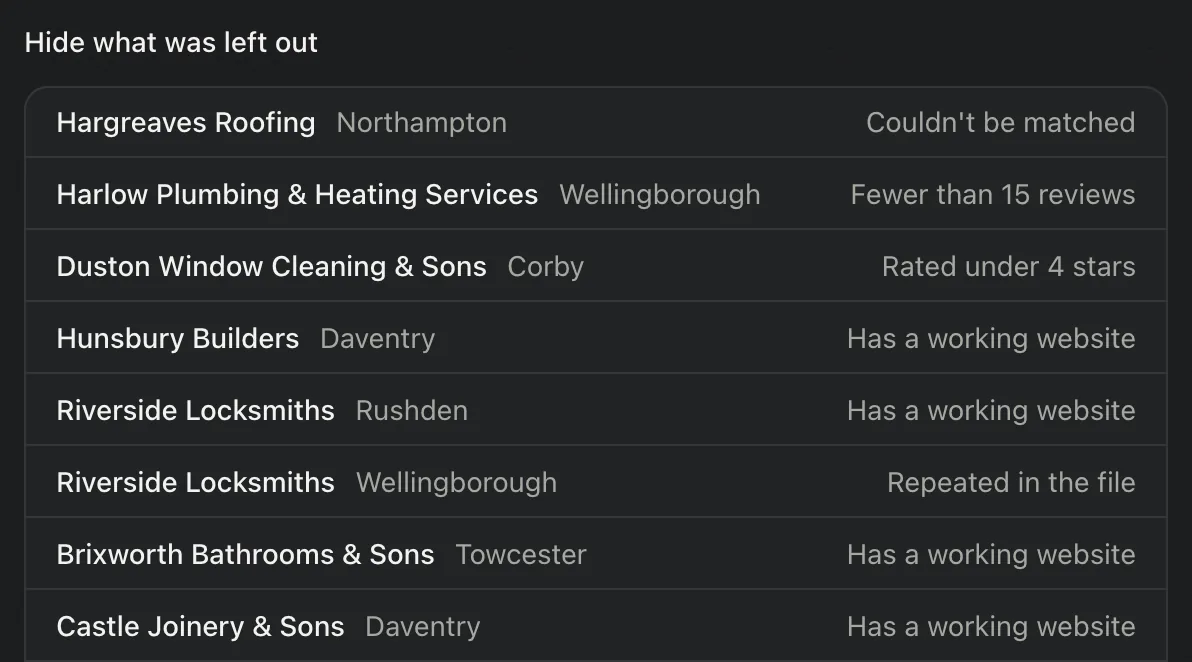
One list, more than websites
The check follows what you pitch, set in Settings → Pipeline → What Klaudius pitches. If you only sell websites, it looks for businesses with no website, or a bad one. If you also sell the AI receptionist or speed to lead, a business with a perfectly good website is no longer a dead end: a plumber who misses calls is a receptionist lead, and a firm that takes quote requests through a form is a speed-to-lead one.
Each ready business carries the one thing Klaudius will pitch it. Switch on a new product later and the list offers to check again the ones it left out, for what you pitch now.
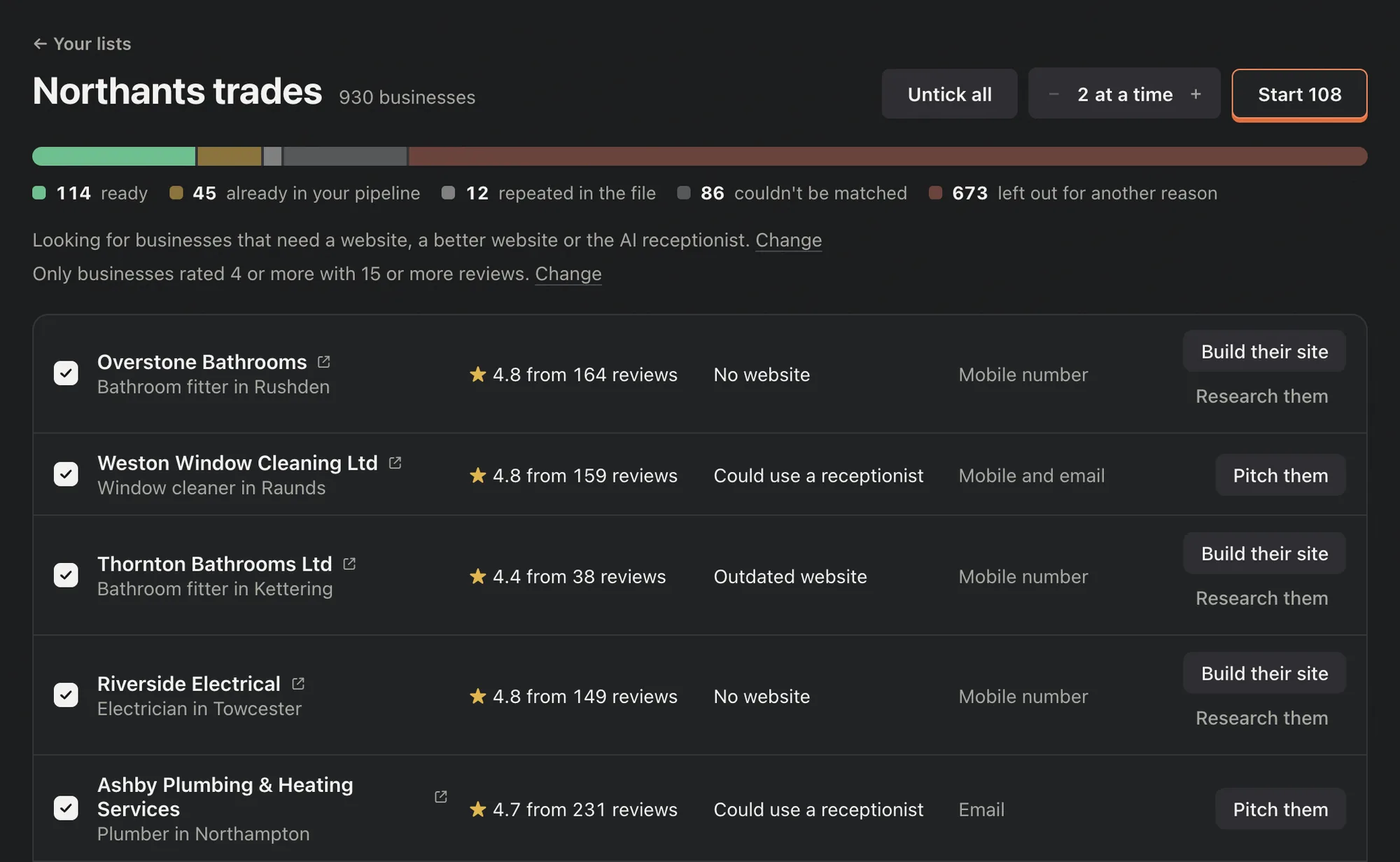
Start on the ones that are ready
The ready businesses are ticked. Press the button and Klaudius works through them several at a time, each in its own fresh session, exactly as Run Klaudius would: it gathers their photos and reviews, builds the site, puts it live and, if sending is on, pitches it.
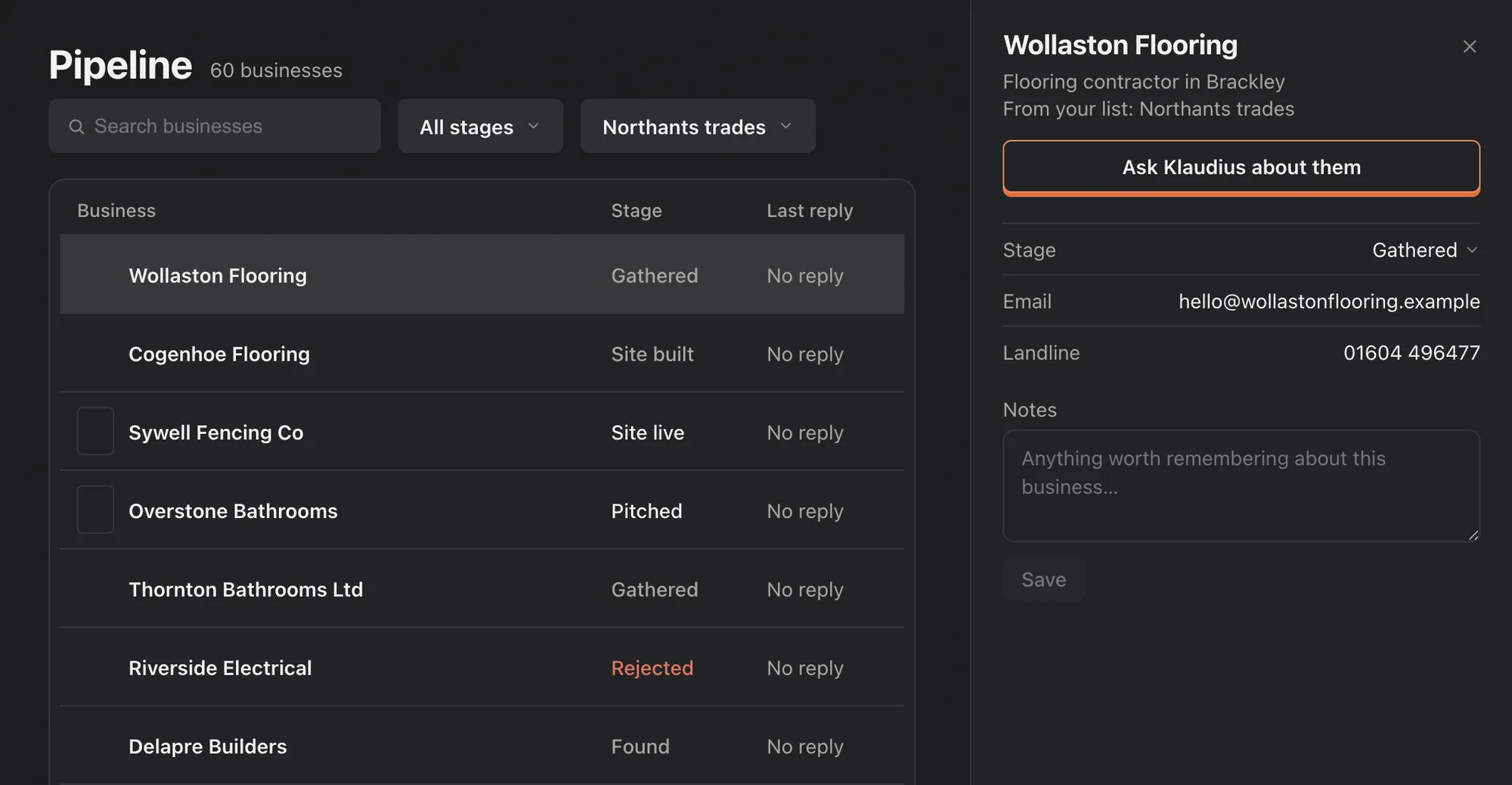
Your runs won't pick the same business up twice, and in Pipeline every business from the list carries the list's name, so you can follow them as their own group.
Try it
Use your own list is in the Klaudius desktop app on Mac and Windows, included with every plan. Update the app, open Find leads and choose Use your own list. Use your own list in the docs has the detail.