Klaudius keeps working while you're away from your desk, finding businesses, building their sites and AI receptionists, and pitching them. Now and then, though, it needs you: a question about a build, a reply it has drafted for a business that wrote back, or the day's follow-ups to check. Until now, all of that waited on your computer, and so did starting anything new.
You can now use Klaudius from your phone. The Klaudius mobile app is free on iPhone and Android, and it pairs with the Klaudius app on your computer. When you're out, you can start and stop runs, answer Klaudius, send the day's follow-ups and read replies. Klaudius still does the work on your computer, and your phone is the remote.
Start and stop runs, or just ask
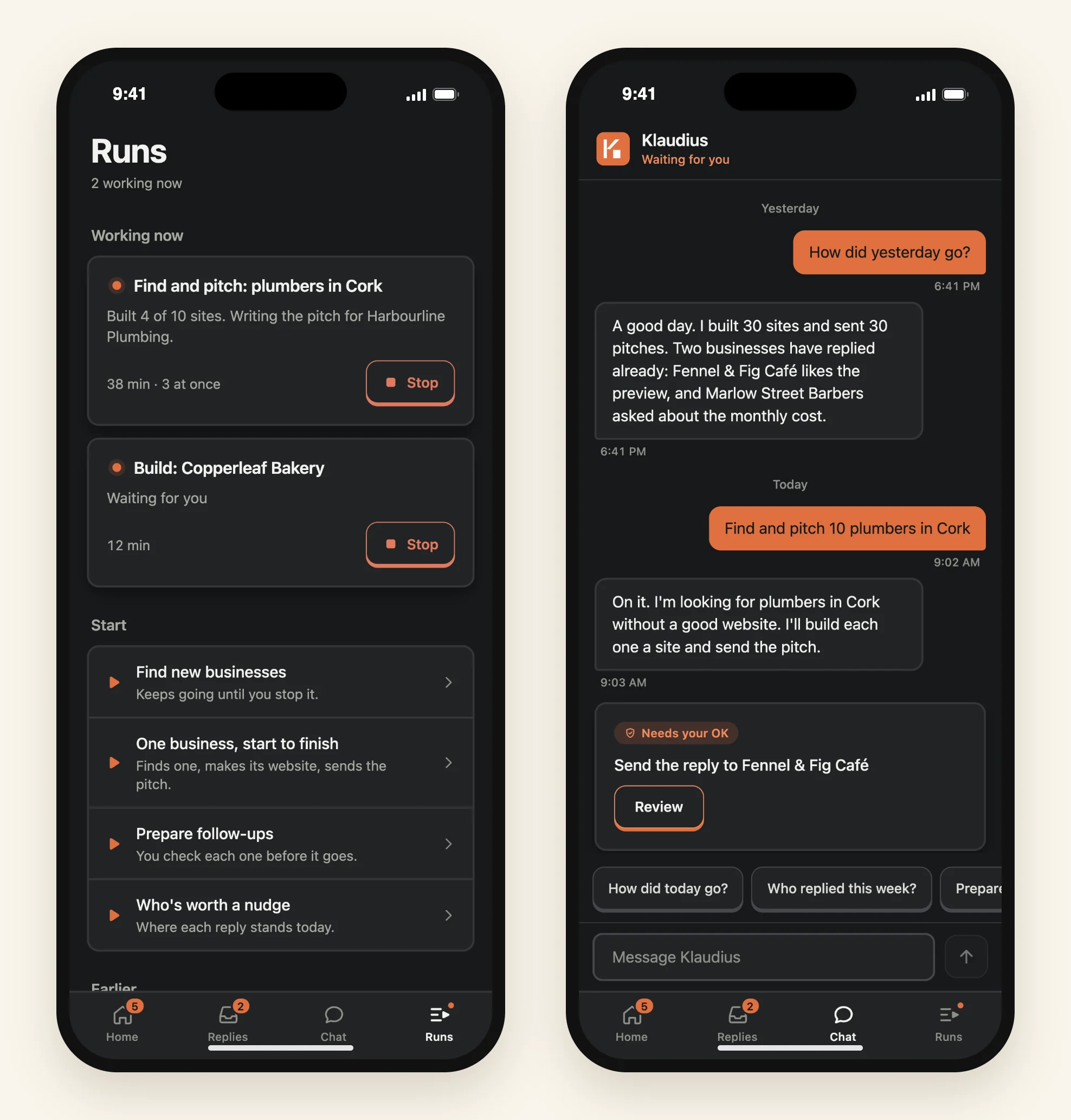
Under Runs you can start the same runs as on your computer, with the same choices: how many to run at once, and if you like, a kind of business and a place. Start one on your way somewhere, and Klaudius gets on with finding businesses, building their sites and AI receptionists, and sending the pitches on your computer. You can see what's running and stop a run if you need to. Work already done is kept.
Or tell Klaudius what you want in Chat, the way you would at your desk: "find and pitch 10 plumbers in Cork", or "how did yesterday go?"
What needs you, at a glance
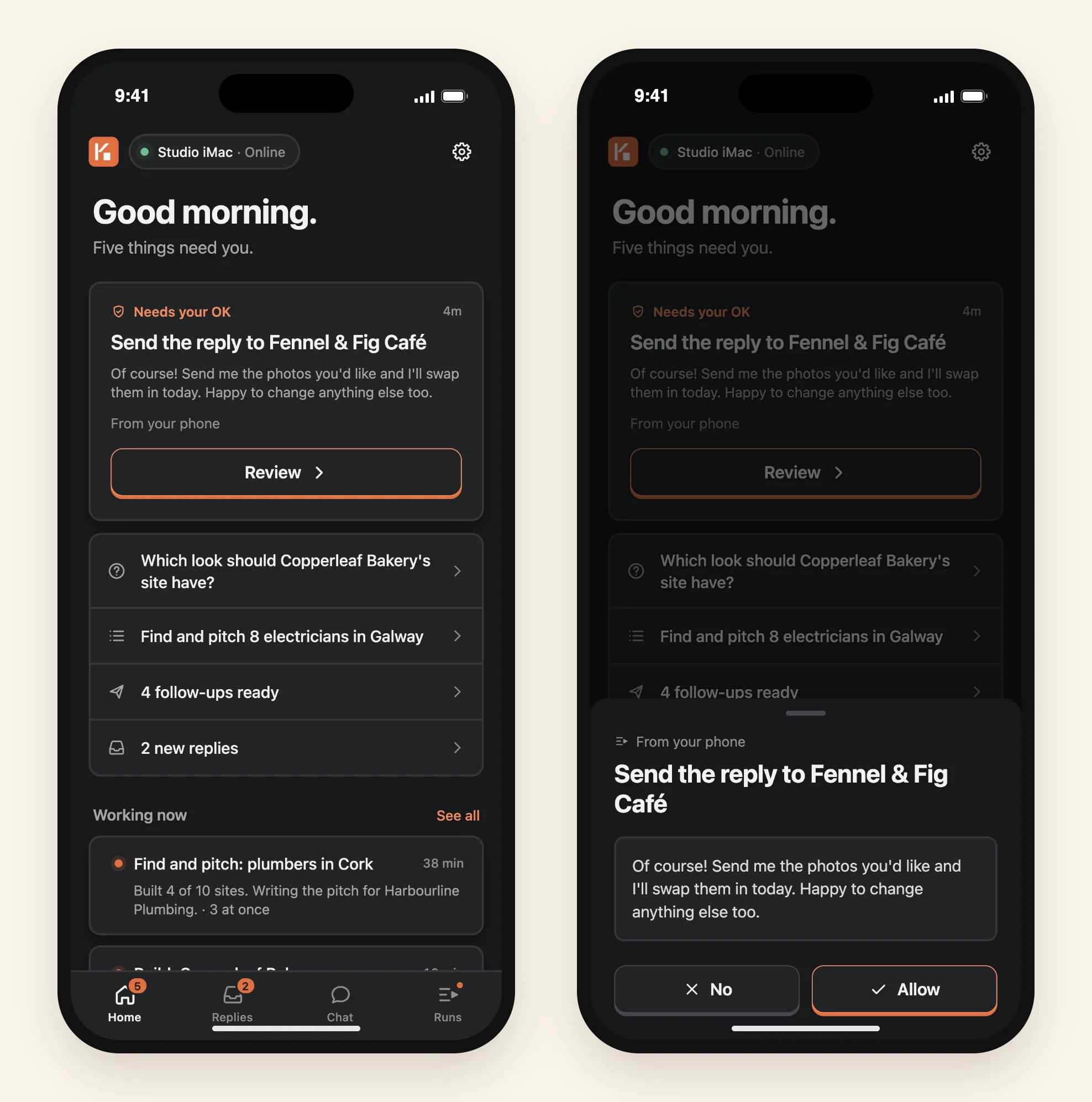
Open the app and Home shows what's waiting on you, such as a question about a build, a reply that's ready to send, the day's follow-ups and new replies, with the work running on your computer underneath.
When Klaudius needs your say-so, you see exactly what it's about to do and answer Allow or No. You can also approve a plan, ask for changes to it, and answer the questions Klaudius asks you.
Follow-ups and replies
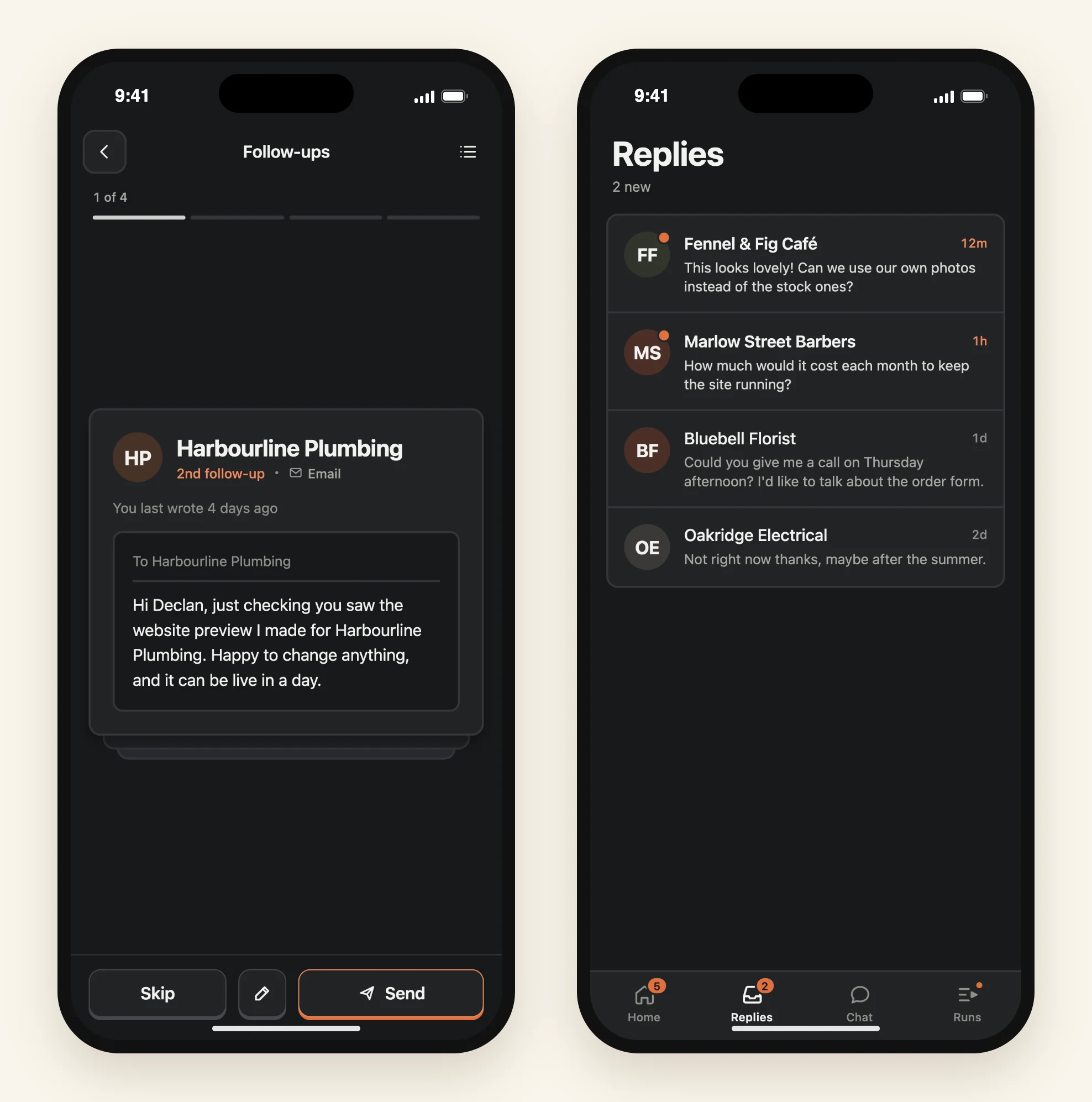
Follow-ups shows the ones Klaudius has drafted for the day, one at a time. Read each one, change the wording if you like, then send it or skip it. Klaudius sends the ones you approve from your computer, exactly as if you'd approved them there.
Businesses that wrote back are under Replies. Tap Draft a reply and Klaudius writes an answer for you to check in Chat. Nothing is sent until you say so.
Notifications that tell you what happened
If you allow notifications, your phone tells you when Klaudius needs your answer while you're away from your computer, when the day's follow-ups are ready, when a business replies, when Klaudius answers you in Chat, and when a run you started from your phone finishes.
Each notification says what actually happened, such as who replied and how their message starts, or what Klaudius is asking you. Tap it and the app opens on that request, reply or run. Anything that lets Klaudius go ahead needs your phone unlocked, so nothing can be approved from your lock screen.
Private between your phone and your computer
Everything between your phone and your computer is end-to-end encrypted, notifications included. Only your phone and your computer can read it. We can't, and neither can the services that carry it.
The mobile app does send us crash reports and usage data, which never include your messages, your businesses or your clients' details. You can switch them off in the app's Settings. What we can and can't see has the detail.
Your computer does the work
Your phone works while Klaudius is open on your computer and the computer is awake. When it isn't, the app shows your computer as asleep, with when it was last seen. Anything you send waits up to 10 minutes for your computer to pick it up, and if it can't, your phone tells you so you can send it again.
Two settings in the Klaudius app keep your computer within reach. Open Klaudius when I log in brings Klaudius back after a restart. Keep this computer awake while your phone is paired stops the computer going to sleep. That one uses more power on a laptop, and closing the lid still puts it to sleep.
Setting it up
- Install Klaudius on your phone from the App Store or Google Play.
- On your computer, open the Klaudius app, go to Settings → Phone and click Connect your phone.
- On your phone, open Klaudius, tap Scan the code and point the camera at the code on your computer.
Each computer pairs with one phone at a time. The mobile app is included with every Klaudius plan at no extra cost. It isn't available in France. Control Klaudius from your phone in the docs covers pairing, notifications and unpairing in full.